

Creating Party Packages
Build the party packages parents choose when they book from Party Admin Center → Packages. Each package is a core offering with a name, description, optional pricing and capacity, and the add-ons you attach for that package only.
Start with 2 to 4 packages. A short list is easier for parents to choose from and faster for you to keep accurate.
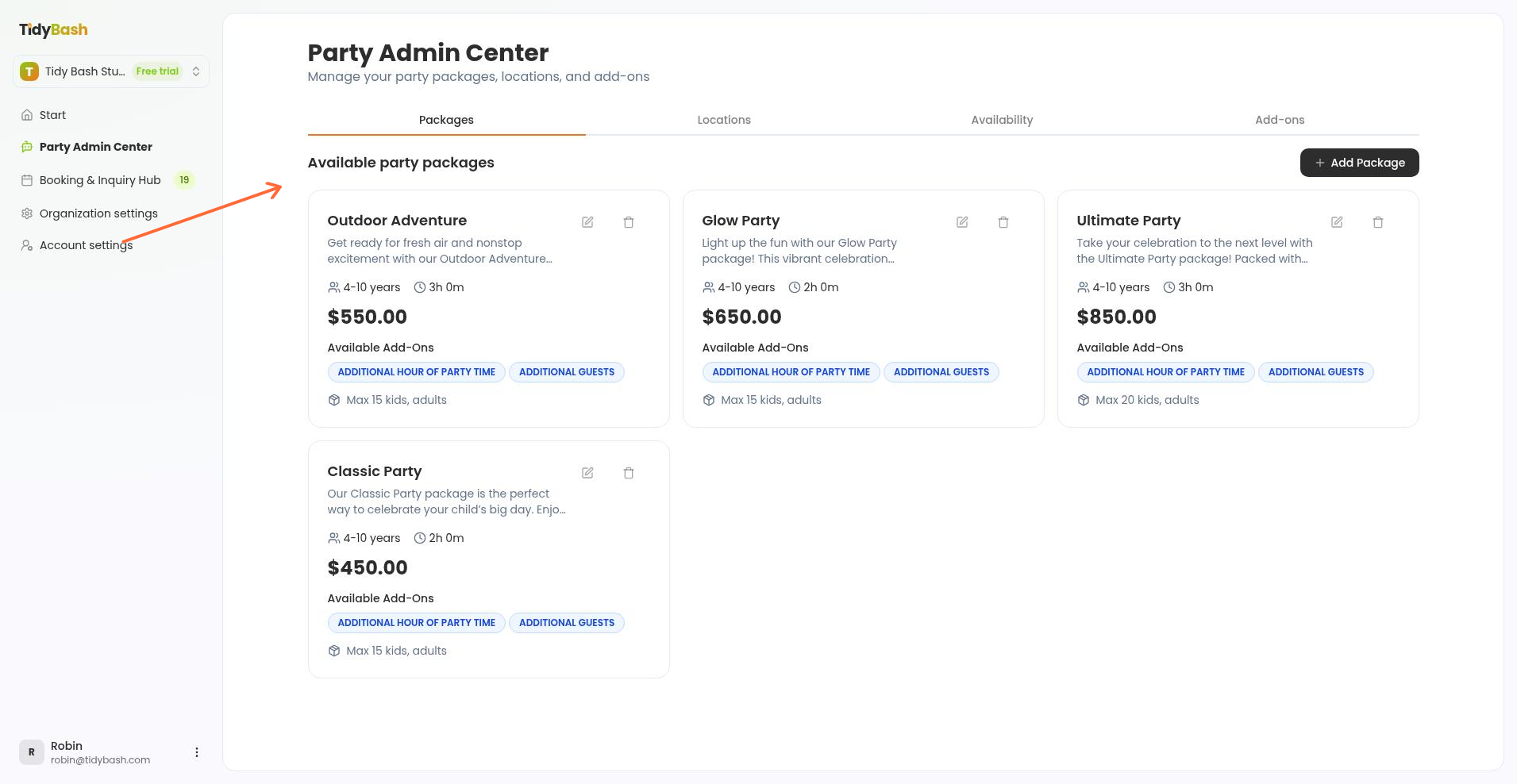
Open Packages
Create packages from the Packages tab in Party Admin Center.
Go to Party Admin Center.
Open the Packages tab.
Click Add Package.
The Create Party Package form opens.
Package Name and Package Description are required. Everything else is optional, but a blank field changes what parents see on the package card.
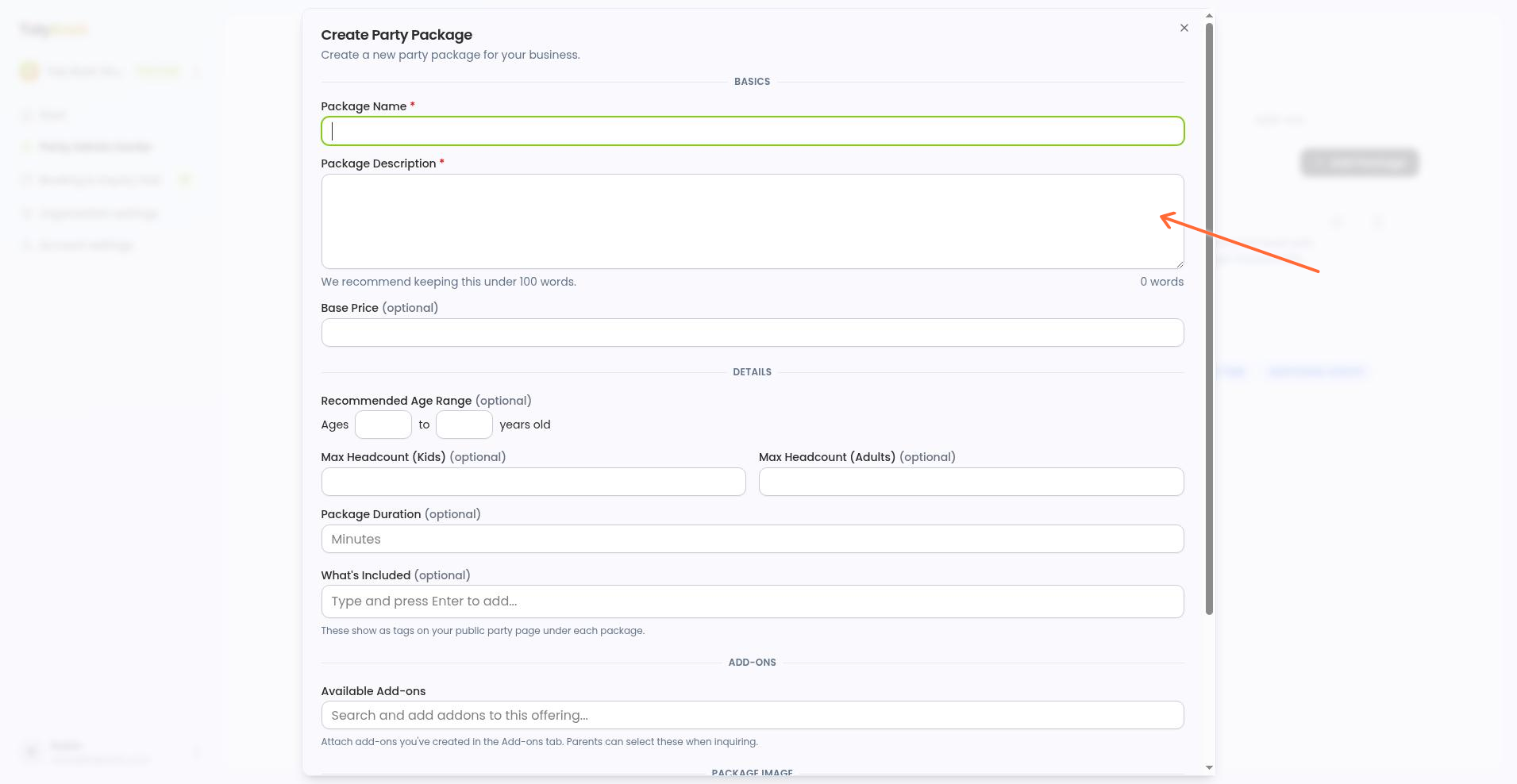
Package Name — what parents search for. If you run a bakery that hosts kids' parties, Cupcake Decorating Party is clearer than something cute.
Package Description — a few plain sentences on what happens: "Each kid decorates a dozen cupcakes at the toppings bar and boxes them to take home. 90 minutes, aprons and supplies included."
Base Price — the price for the core party. Keep costs that vary (extra kids, more time) in add-ons that stack on top. Leaving the field blank shows Contact for pricing; entering 0 shows $0.
Recommended Age Range — fill both ends to show an age line like Ages 6–11 years. Leave both blank and no age line appears. This is display only, not a booking filter. Parents can still choose the package if their child's age falls outside the range.
Max Headcount (Kids) and Max Headcount (Adults) — the capacity you plan against. Not enforced at booking, so parents can enter a higher number.
Package Duration — in minutes. Blank shows as Flexible on the card.
What's Included — shows as a checklist on the package card; blank hides the section. Keep items specific: "a dozen cupcakes per child," "aprons," "take-home boxes."
Package Image — the first photo parents see. PNG or JPEG, max 2 MB.
Attach add-ons
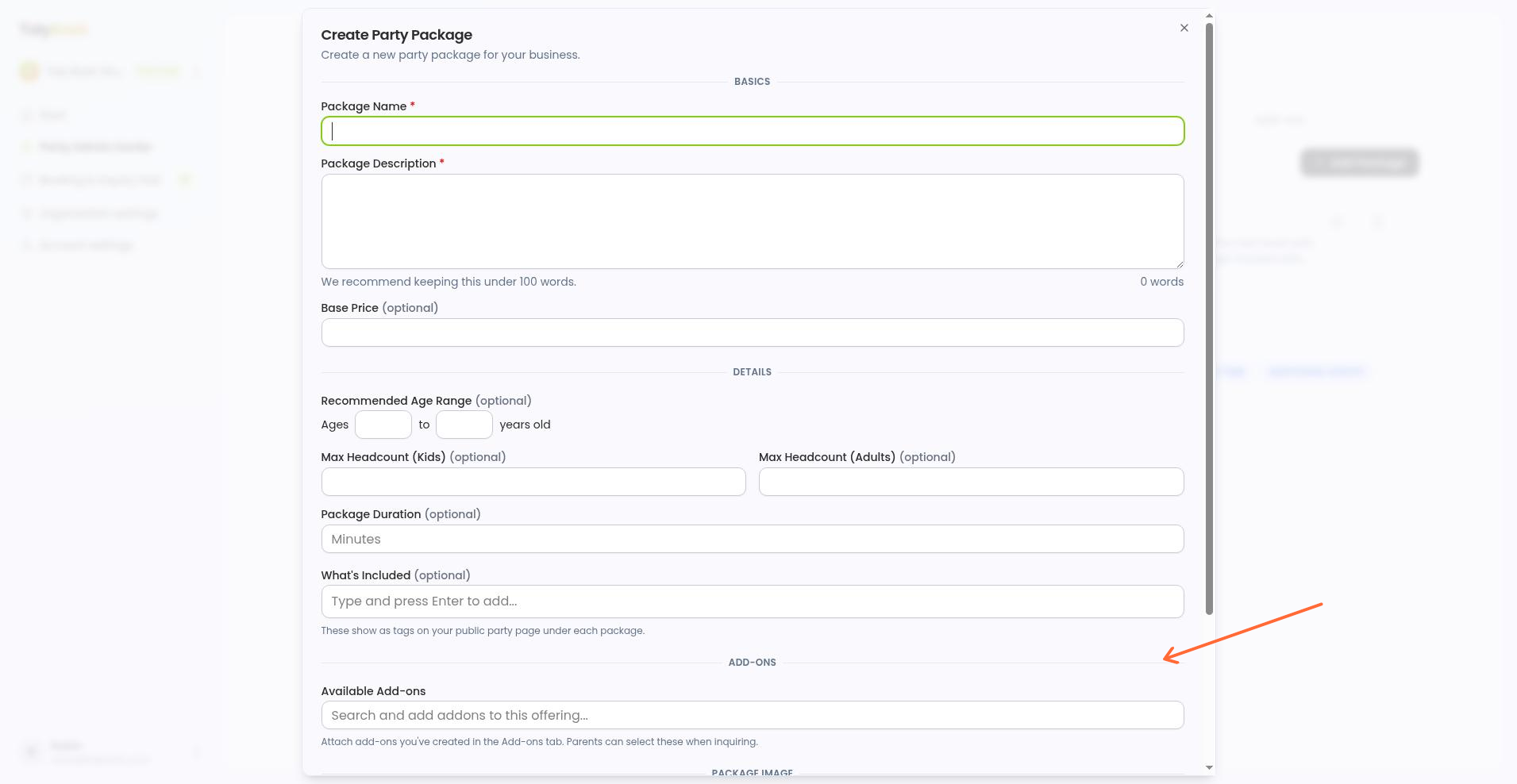
Only the add-ons you link here show up for parents when they book this package.
In Available Add-ons, search for and select the add-ons this package should offer.
No add-ons yet? Skip this for now. Create them on the Add-ons tab, then come back and edit the package to link them.
Pricing that differs by package lives on the add-on itself. If your Cupcake Decorating Party charges $8 per extra kid and a larger package charges $6, create two separate "extra kid" add-ons and link each to its own package.
Build add-ons in Creating Add-ons.
Our guide to pricing party packages walks through splitting a party into packages and add-ons, and what should drive your prices.
Save the package
Click Create Offering to save the package.
It appears under Available party packages and is ready for parents to choose when they inquire or book. You can also use it when you set your availability.
If a package is already attached to upcoming parties, it's usually safer to create a new package than to rework the existing one, so you don't disrupt bookings that are already in motion.